
Look, I get it — you love Peloton classes, but you also love a good deal. Me too. That’s why I’m always on the hunt for clever ways to hack your fitness setup without emptying your wallet. And you know what the #1 question I get is?
“Do you have a good Peloton resistance conversion chart for my non-Peloton bike?”
Yes. Yes I do. In fact, I have several. I used AI for help me create them. These resistance charts will help you translate Peloton’s 1–100 scale to your own bike — whether you’re riding a Sunny, Keiser M3i, Echelon, or NordicTrack..
Here’s a sample of the kinds of questions I get every week:
- How do I convert Peloton resistance for my Sunny or Keiser?
- Are these power pedals really worth it? (Honestly, they’re super cool — check them out!)
- Is there an AI-style cadence sensor that can measure resistance ?
Let’s break it down and get you those sweet resistance conversion charts. 💪
What Is Resistance Anyway?
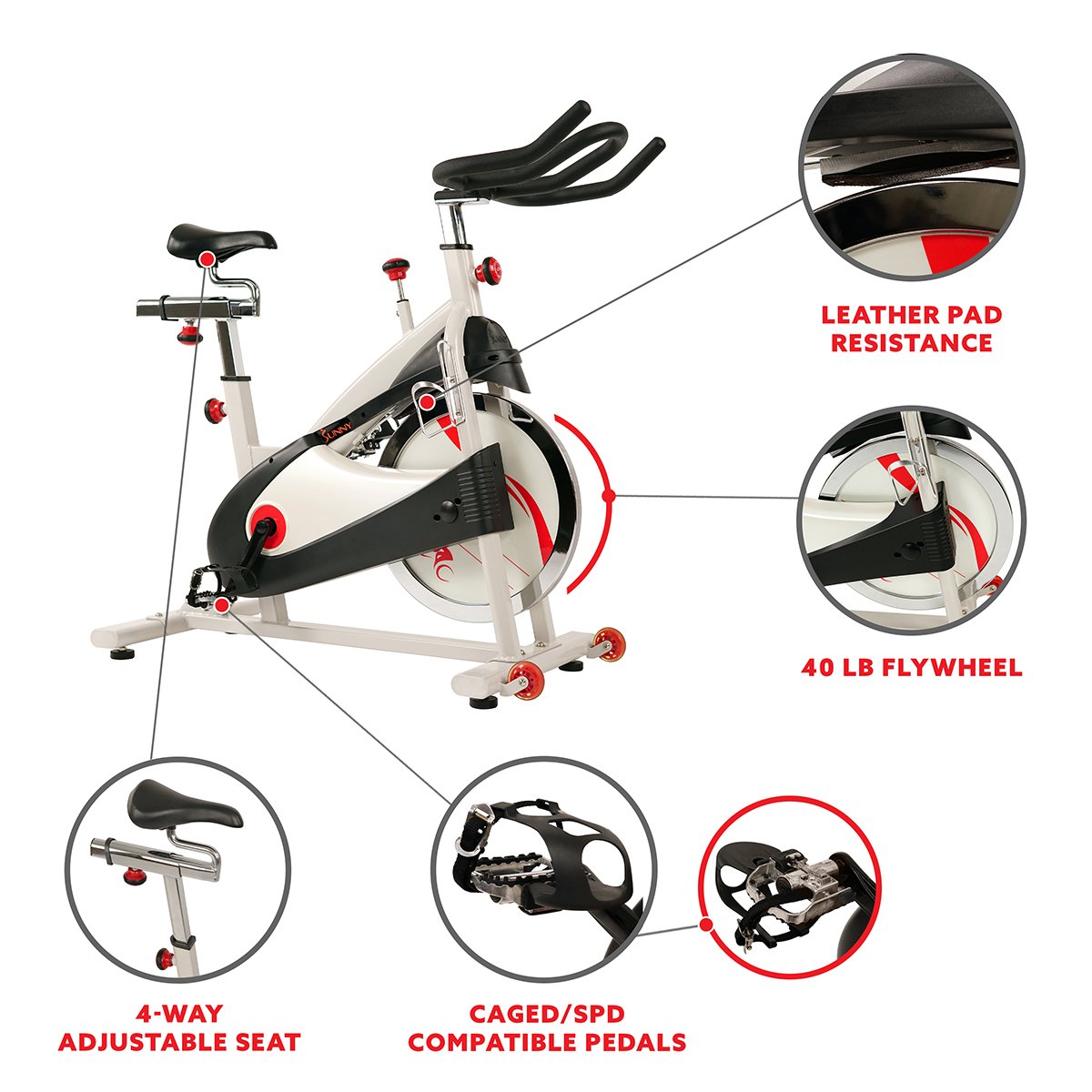
Resistance is just how heavy your flywheel feels. The more you turn the knob to the right, the heavier (and harder) it gets. To the left? Easier. Simple, right?
If you’re using a real Peloton bike, you see your resistance right on the screen, 1–100. But if you’re rocking a more affordable bike + the Peloton App combo (my people!), you’ll need to go by feel. Or, you can use one of these handy-dandy conversion charts below.
Resistance Charts for Popular Budget & Mid-Range Bikes
I’ve collected and tested these resistance conversions over the years — including the Sunny 1805, Keiser M3i, Echelon, and even two NordicTrack models.
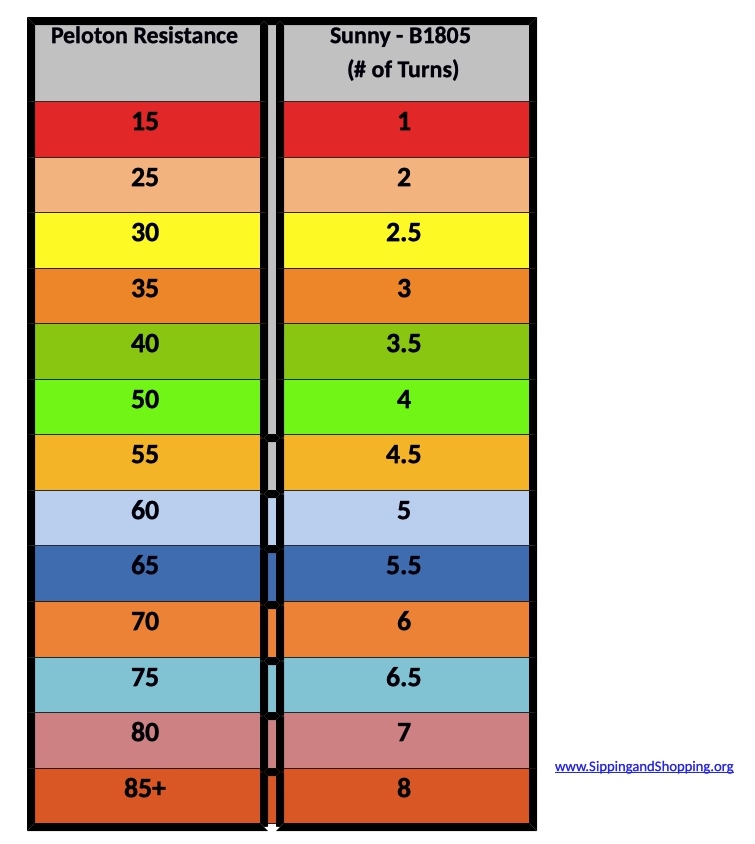
Sunny 1805 / Peloton Resistance Conversion Chart
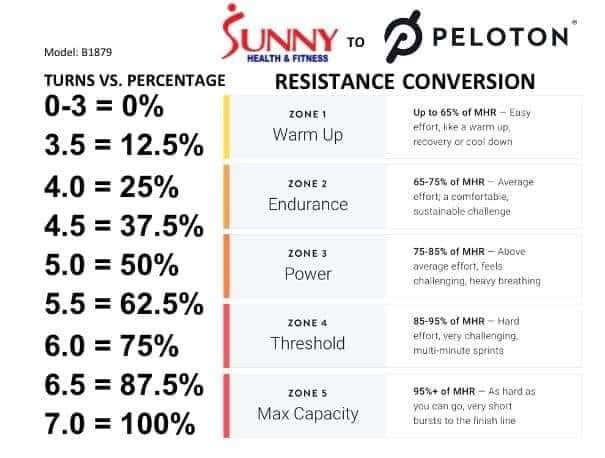
Sunny B1879 / Peloton Resistance Conversion Chart
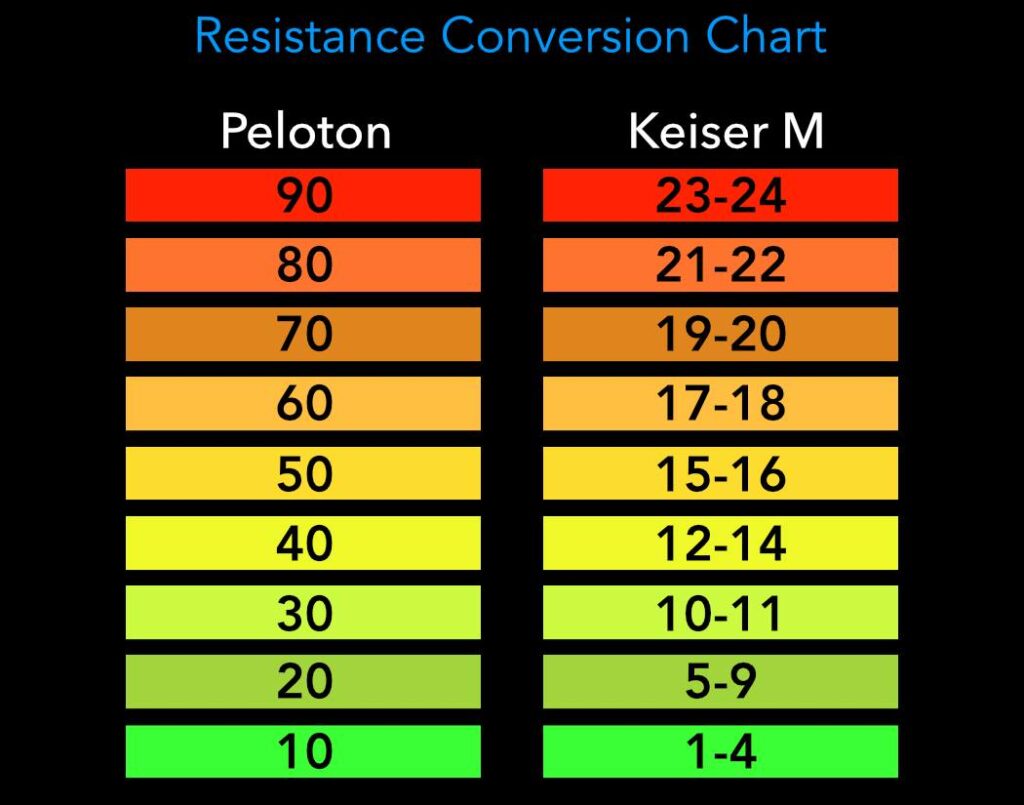
Keiser M3i / Peloton Resistance Conversion Chart
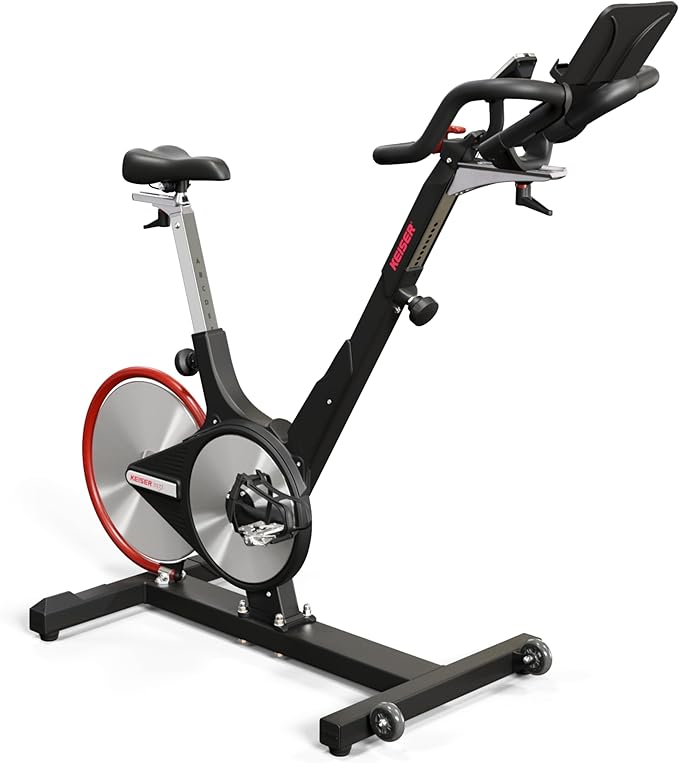
💡 After two solid years on my Sunny, I leveled up to the Keiser. Smooth ride, accurate metrics, and yep — it still works great with the Peloton app.
Echelon / Peloton Resistance Conversion Chart

⚙️ Don’t Obsess — Just Ride Smart
Let me be real: resistance isn’t rocket surgery. You don’t need an AI algorithm. If your instructor is climbing and you’re spinning like Sonic the Hedgehog, just turn your knob to the right. Match their cadence. That’s the real key.
Pro tip for fellow frugal geeks: On my Sunny, every full crank of the resistance knob equals about 10 points of resistance. Not perfect, but close enough to stay in the zone.
💡 Final Thoughts: Save Your Money, Keep the Fun
Getting fit shouldn’t bankrupt you. With the Peloton app and a little DIY spirit, you can build a killer smart home gym setup. Use these charts, follow the instructor’s lead, and most importantly — enjoy the ride.
Oh, and one last thing…
🎉 Get a Disco Ball
Yes, I’m serious. The lights change with the beat. It’s like a silent rave every morning in my basement. Zero regrets.
Disclaimer: The FitnessGeek.ai blog is a participant in the Amazon Services LLC Associates Program, an affiliate advertising program designed to provide a means for me to earn fees by linking to Amazon.com and affiliated sites.
Read More @ FitnessGeek.ai
My 12 Month Peloton App Review; Using the App with My Peloton Alternative
AI for Mental Health: How Artificial Intelligence is Transforming Care & Support
AI-Powered Mindfulness: 5 Smart Tools to Boost Mental Health and Fitness
How AI Can Help College Students Stay Fit and Mentally Strong
AI for Mental Health: Smarter Tools for Stress, Anxiety & Emotional Wellbeing